Subscriptions and one-time credit packs

B2B content built for Google and AI search.

Blogo AI reads your site, search demand and competitors, then drafts articles where every statement is sourced, marked as your own experience, or flagged for you to confirm. Nothing is invented, and nothing publishes without you.

  • Starts from your website — no blank prompt
  • Lists each fact for you to confirm before it ships
  • Review in Blogo and copy the Markdown — never auto-published

Review your drafts →

From a buyer question to a useful draft

Interactive example
Loading example…

What should your reader be able to decide?

How should a small brand choose reusable shipping boxes?

Follow this prewritten buyer-question example. Start your own article to use a question from your business.

Local example · these controls do not generate an article

How it works

A calmer way to keep publishing

Blogo keeps the workflow simple: choose the next topic, let the agent draft it, then review it in Blogo and copy the Markdown.

  1. 01

    Know what to write

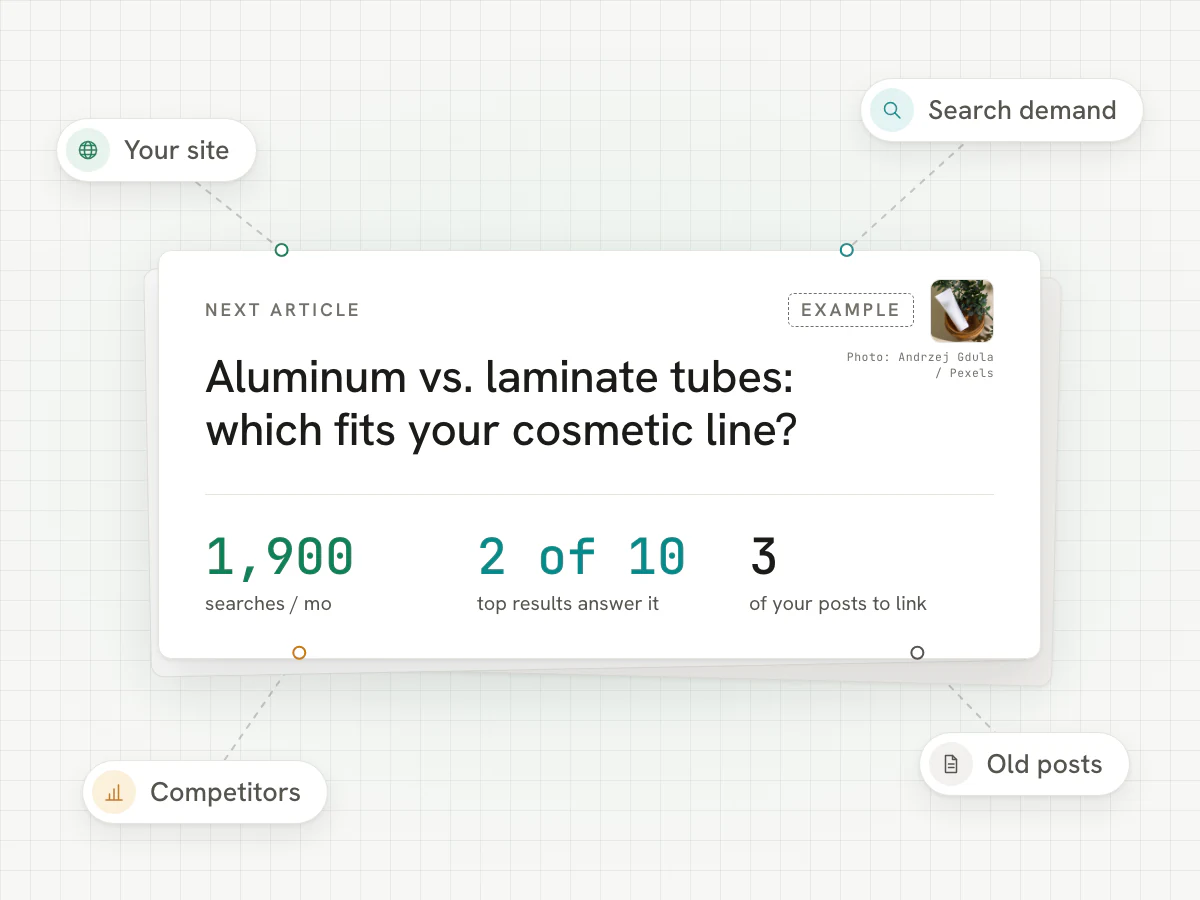
    The plan combines your site, search demand, competitors, old posts, and community questions into one recommended next article.

    • One recommended article, with the reason why
    • Starts from your own Search Console data
    Example plan card: one recommended article with its monthly searches, how many top results answer it, and three of your posts to link
  2. 02

    Let the agent draft

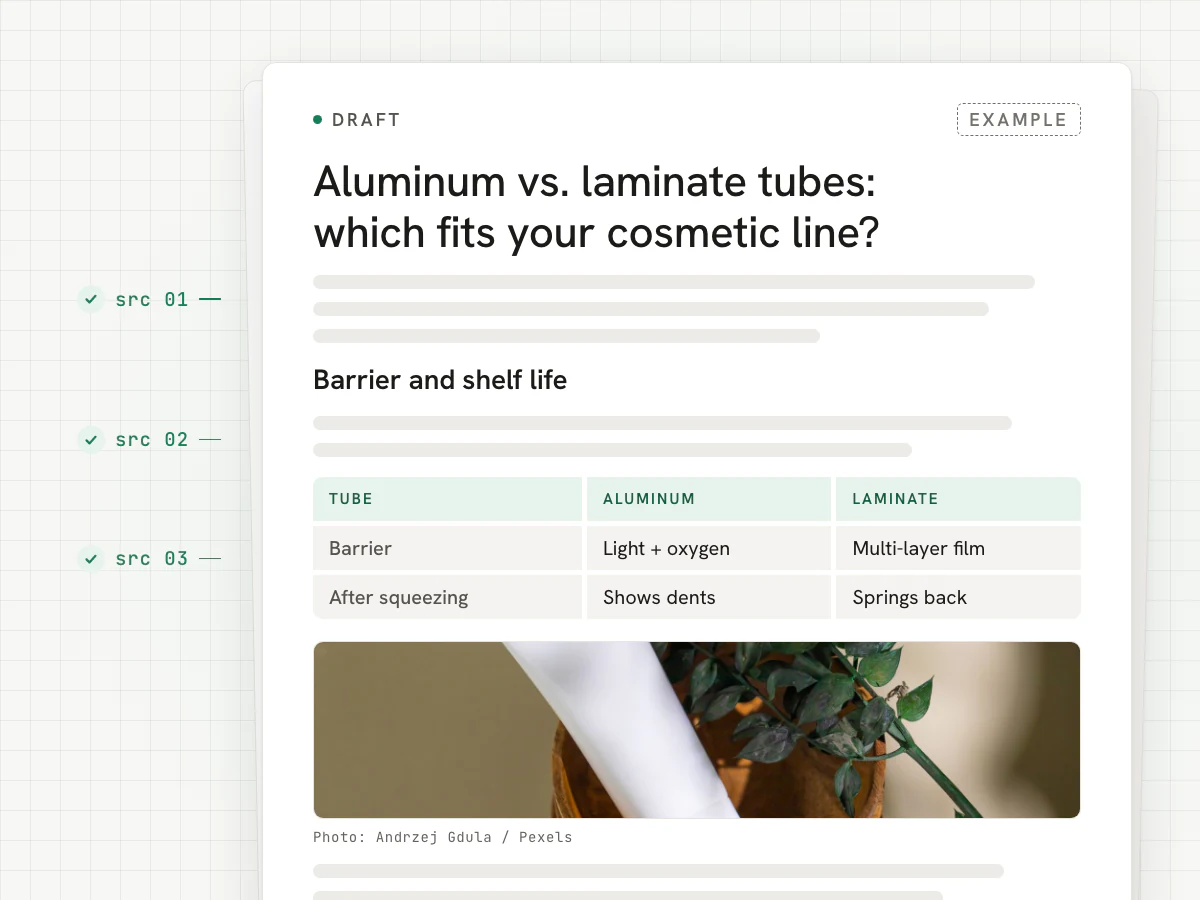
    Blogo prepares the research, outline, links, images, and first draft while showing what it picked before you publish.

    • Research, outline, links and images in one draft
    • Review the flagged statements and read the rest of the draft.
    Example draft with sources marked in the margin, a comparison table and a photo
  3. 03

    Review your draft before using it

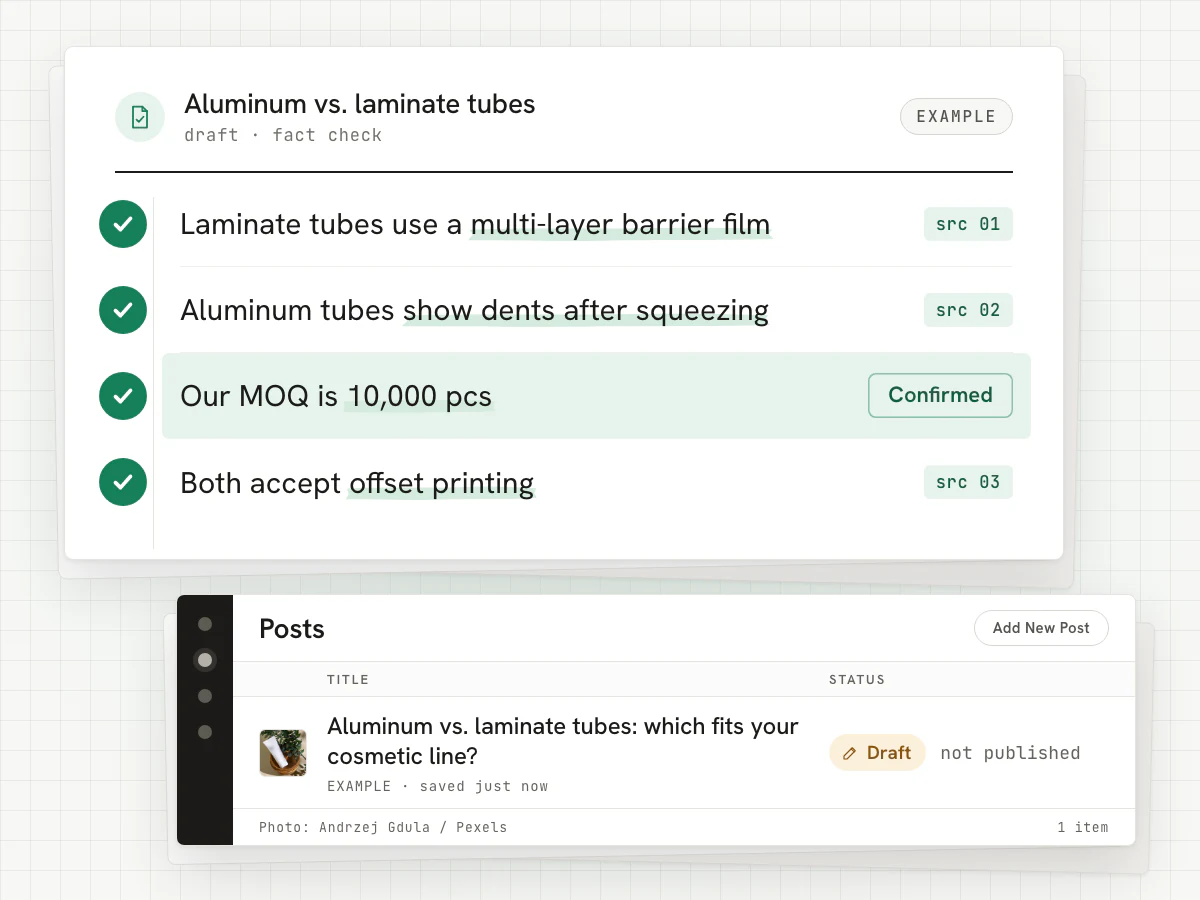
    Review the draft and the facts that still need your OK, then copy Markdown or send an unpublished WordPress draft after connecting your site and confirming the reviewed version.

    • Facts to confirm, listed in plain words
    • Export Markdown or confirm a reviewed WordPress draft handoff
    Example fact list with every line checked, and the article saved in WordPress as a draft

36-second tour

See Blogo in 36 seconds

This illustrative tour shows a website, a suggested topic and a draft review. Review and export in Blogo; optional WordPress draft handoff needs a connected site, completed checks and current-version confirmation.

Article examples in the video are illustrative. The Search Console chart is real data from a content site we run on Blogo; the domain is withheld.

Who it's for

Built for people who'd rather not learn SEO

If one of these sounds like your desk, Blogo was made for it.

  1. 01

    The owner who sells product, not keywords

    You know your product or service cold. "What should I publish this month" is the part that never gets done.

  2. 02

    The one-person marketing team

    You're running email, samples, the trade show and the website. SEO tools assume you have an SEO. You don't.

  3. 03

    The site that used to rank

    Old posts are slipping and you don't have a free weekend to find them, refresh the facts, and rewrite them by hand.

From the team

Why we built Blogo

We've run B2B sites for years — product pages, service pages, the unglamorous content that quietly brings in buyers. Every month the same question stalled us: what should we publish next, and will it hold up?

Plenty of AI tools will publish whatever they invent, no questions asked. For a serious business, one made-up detail, source, price, timeline, or certification can cost trust. So we built the opposite: Blogo finds the next topic from your own Search Console and competitors, drafts it, shows you every fact to confirm — and never publishes behind your back.

It writes. You stay in charge. That's the whole idea.

— The Blogo team

Real numbers

We run on Blogo, too

A Google Search Console snapshot from five content sites we operate, March 24–June 22, 2026. These totals describe those sites, not expected results for a new Blogo account.

Properties
5
Properties
Impressions
4.41M
Impressions
Clicks
37.1K
Clicks
Window
Mar–Jun 2026
Window
  • Property 1
    1.56M
    Impressions
    Clicks
    12.9K
    CTR
    0.8%
    Avg. position
    8.8
  • Property 2
    1.22M
    Impressions
    Clicks
    9.01K
    CTR
    0.7%
    Avg. position
    9.1
  • Property 3
    1.11M
    Impressions
    Clicks
    7.56K
    CTR
    0.7%
    Avg. position
    10.3
  • Property 4
    462K
    Impressions
    Clicks
    4.69K
    CTR
    1.0%
    Avg. position
    11.3
  • Property 5
    57.4K
    Impressions
    Clicks
    2.96K
    CTR
    5.2%
    Avg. position
    6.4

Historical Search Console snapshot, shown as totals. This is not live tracking or a claim that Blogo caused the traffic.

Simple credit-based pricing

Every plan buys credits. One new article costs 10 credits, and every draft waits for your review before anything is published.

Subscriptions renew automatically until you cancel from Billing. Article packs are one-time purchases and do not renew.

Starter

$39/mo

100 credits · about 10 articles · $3.90 per article

For one site getting started

  • 100 credits a month (about 10 articles)
  • Research references and outline suggestions
  • Fact-safe drafts — never auto-published
  • Draft review and email support
Popular

Growth

$79/mo

300 credits · about 30 articles · $2.63 per article

For teams publishing every week

  • 300 credits a month (about 30 articles)
  • Research references and outline suggestions
  • Reviewable drafts and Markdown export
  • Priority support

Premium

$149/mo

600 credits · about 60 articles · $2.48 per article

For teams producing more reviewed articles

  • 600 credits a month (about 60 articles)
  • Research references and outline suggestions
  • Everything in Growth
  • Dedicated onboarding and review workflow setup

Credits

How credits work

  • A new article costs 10 credits, including research, drafting and fact checking. Review the delivered draft in Blogo and copy it as Markdown.
  • If no draft is delivered, the credits go back to your balance automatically.
  • Plan credits reset every billing period; unused plan credits do not roll over.
  • Credit packs are one-time purchases and last 12 months.

For developers and AI agents

API & MCP

No extra fee

Run the same research → draft → fact-check workflow from your own code or any MCP-compatible AI agent. It uses your plan's credits: 10 credits per article; listing sites and reading articles is free.

  • REST API v1 with API keys
  • MCP server for AI agents at /api/mcp
  • 60 requests per minute per key
  • Drafts for your review — never published automatically
Read the API docs

Questions

Frequently asked questions

What Blogo does and where the human still decides.

Something else on your mind? Ask the team

Does Blogo write new articles and refresh old ones?
Blogo currently writes new articles: it gathers the research, writes a draft, and checks it for you to review in Blogo. You can copy the finished draft as Markdown. Refreshing existing posts is not available in this version.
Does every article cost a lot of research data?
No. Blogo starts with what you already have: your Search Console data, your WordPress posts, your sitemap and your own business details. It looks up the articles ranking above you only when that changes what gets written, and it keeps track of what each step costs.
Can it prevent AI hallucinations?
It can't promise perfection. What it does: any number, customer detail, quote or source it can't back up stops and waits for you to confirm, edit or remove it before the draft is handed off.
Will it publish directly to WordPress?
No. Blogo does not publish automatically. Review the draft and export Markdown, or confirm the reviewed version for an unpublished WordPress draft after completing its setup. You decide what goes live in WordPress.
What makes this different from generic AI writers?
Blogo is organized around decisions: why this topic, why this structure, what evidence supports it, which changes are safe, what it costs, and what the human accepted or rejected.

Choose the credits you need

Start with a site. Leave with a writing plan.

Choose the next article, prepare the research, and write a draft you can review, edit and export. WordPress draft handoff is optional and requires setup and your confirmation.

One new article uses 10 credits. Review every draft before publishing.

  • Starts from your website — no blank prompt
  • Lists each fact for you to confirm before it ships
  • Review in Blogo and copy the Markdown — never auto-published